We don’t open the door to fake sites
Instead of the “go anywhere” model, we offer controlled browsing around phishing and fraud addresses. This is the browser face of Kalkhan’s cut-the-access principle.
Android · Safe browsing · Popups / downloads
Kalkhan Browser delivers controlled internet access on Android with safe-browsing controls, bookmarks, popup and download management. Against the “go anywhere” model of global browsers, it carries Kalkhan’s principle of giving fake sites no way through. Free — launching soon.
Installed from the Play Store. License sales open soon. Refunds · Support · Privacy
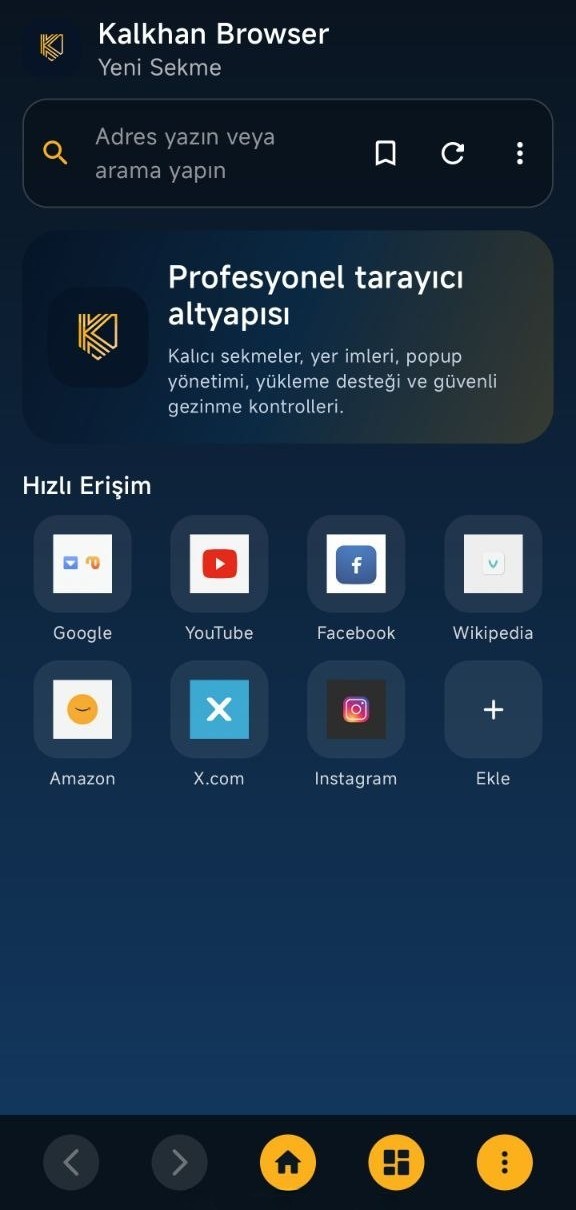
Most mobile browsers are built around speed and tabs, with security in second place. Kalkhan Browser runs on giving fake sites no way through, on popup and download discipline, and on a local ecosystem.
Instead of the “go anywhere” model, we offer controlled browsing around phishing and fraud addresses. This is the browser face of Kalkhan’s cut-the-access principle.
Unwanted windows are limited and downloads stay traceable. Everyday browsing gets quieter and the risky download surface gets smaller.
It runs in the same ecosystem as Kalkhan Mobile Security. A local license, a Turkish-language interface and local support make it a safe default browser on Android.
Rather than going anywhere for the sake of speed — controlled browsing with access discipline.
Positioning against well-known mobile browser classes such as Chrome, Firefox Focus, Brave and Samsung Internet. The scores are indicative, not independent lab results.
No way through to risky addresses
Blocking unwanted windows
Monitored download management
Kalkhan + Turkish-language support
The browsing experience is shaped by Kalkhan access discipline.
Real screenshots. Click to enlarge.
The risks you run into during everyday Android browsing.
Safe-browsing controls apply the principle of giving risky addresses no way through.
Unwanted windows are limited and browsing gets quieter.
Download management keeps downloads traceable and narrows the risk surface.
Bookmarks and quick access make the default experience a controlled one.
A class comparison based on product capabilities. It is not an independent lab result.
| Feature | DefaultChrome class | Privacy-focusedFocus / Brave class | Kalkhan BrowserAccess-disciplined |
|---|---|---|---|
| No way through to risky or fake sites | Limited | Varies | Core focus |
| Popup control | Basic | ✓ | ✓ |
| Download discipline / monitoring | − | − | Core focus |
| Ecosystem with Kalkhan Mobile | ✕ | ✕ | Yes |
| Turkish interface + local support | − | − | Yes |
| Annual license | Free | Free / freemium | Free |
All trademarks belong to their respective owners. No independent lab score has been published.
The controls that stand out in the current product.
Gezinme deneyimi Kalkhan erişim disiplinine göre şekillenir.
Controlled browsing. Less noise. Local support.
Post-purchase steps and help channels.
It gives you a controlled internet experience on Android with safe-browsing controls, popup and download management, and bookmarks. It carries Kalkhan’s no-way-through-for-fake-sites principle into the browser.
Chrome is built around speed and compatibility; Kalkhan Browser is positioned around access discipline, popup and download management, and a local ecosystem. This is a class comparison, not an independent lab result.
Free. The release is coming soon, so the primary call to action reads “Coming soon”.
Yes. It installs through Google Play.
Turkish-language support: bilgi@kalkhan.com.tr · +90 850 309 5546
Free · Android · Launching soon · Download from the Play Store